

Documentation
ClickFunnels 2.0 forms
For Splitlab to credit a ClickFunnels order to the variant the buyer saw, the contact has to
carry their Splitlab visitor ID. You add a hidden mvt_visitor_id input to the funnel's
form once; on pages running the Splitlab snippet, the snippet fills
it in automatically.
Without the field, orders still reach Splitlab as workspace revenue, but they show as Unattributed: Splitlab cannot tell which variant the buyer saw.
Add it to every form that creates the contact
Usually that's the order form or opt-in form on the funnel's first step. A contact keeps the value it was created with, so later steps and upsells inherit it.
Using ClickFunnels Classic? Follow the ClickFunnels Classic forms guide instead.
Add the visitor ID field
Step 1. Open the funnel. In ClickFunnels, open the funnel your A/B test runs on.
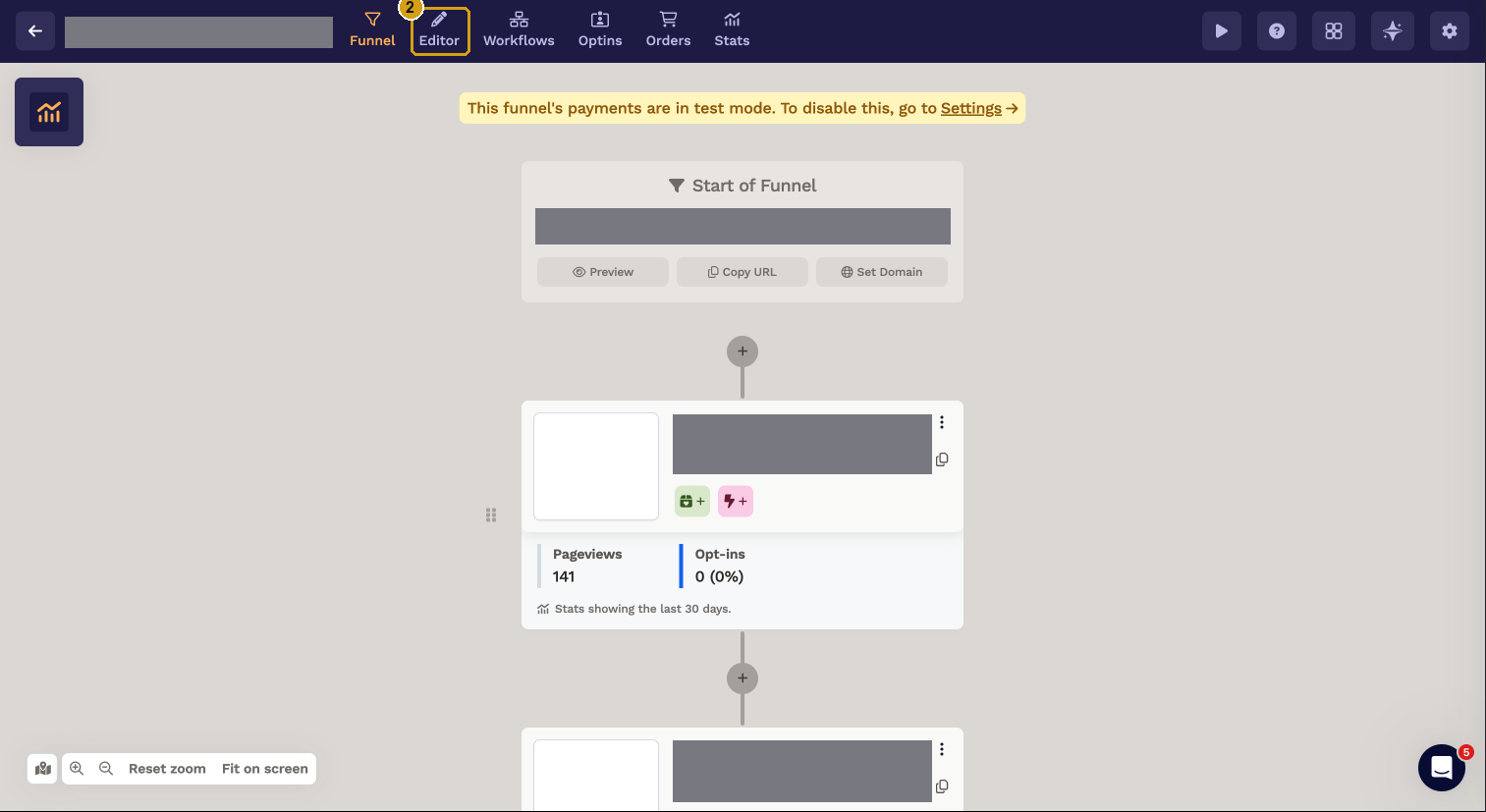
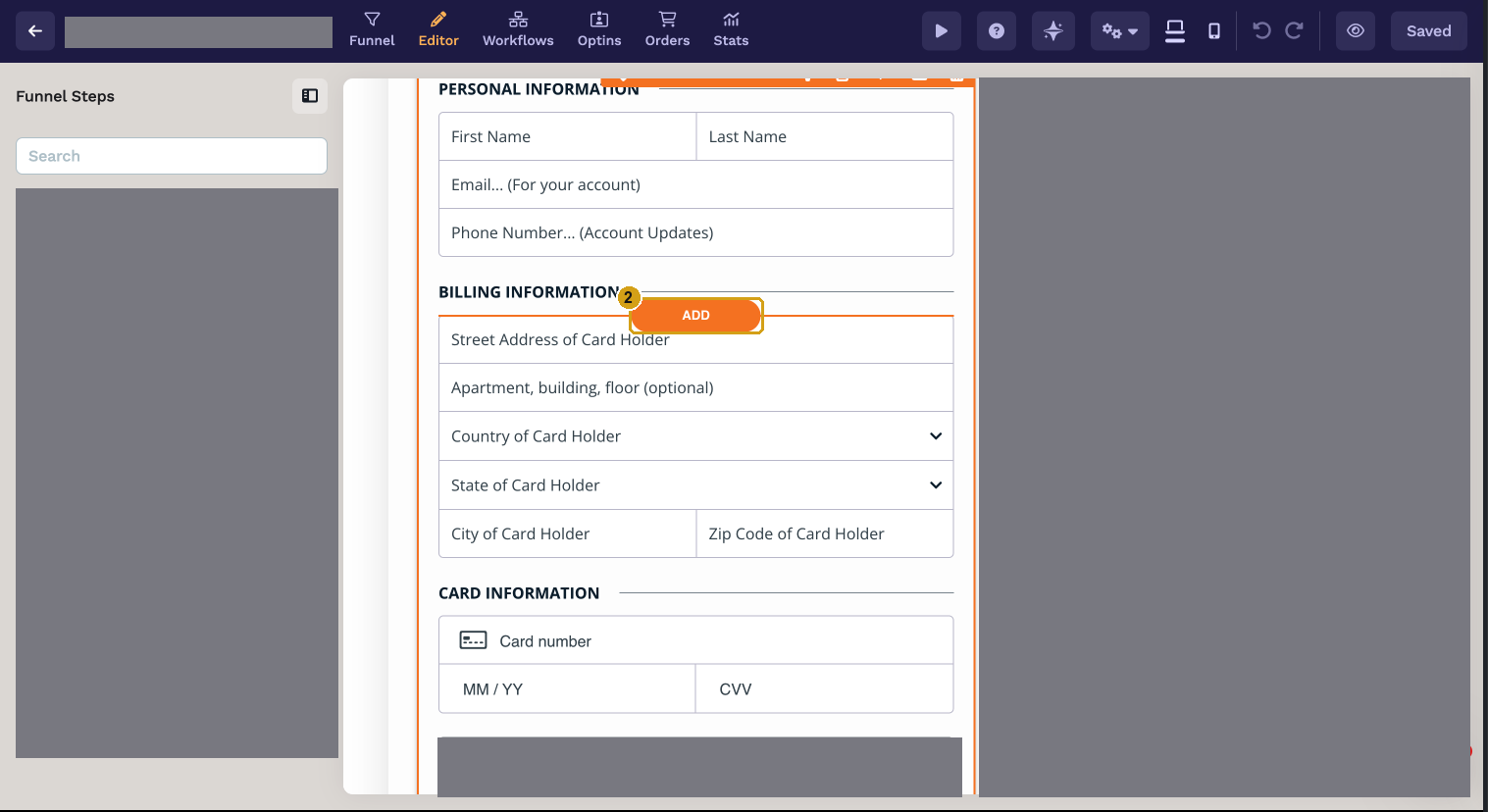
Step 2. Open the editor and add an element. Click Editor (2) on the step with the form, then click ADD (2) where the new field should go, inside the form section.
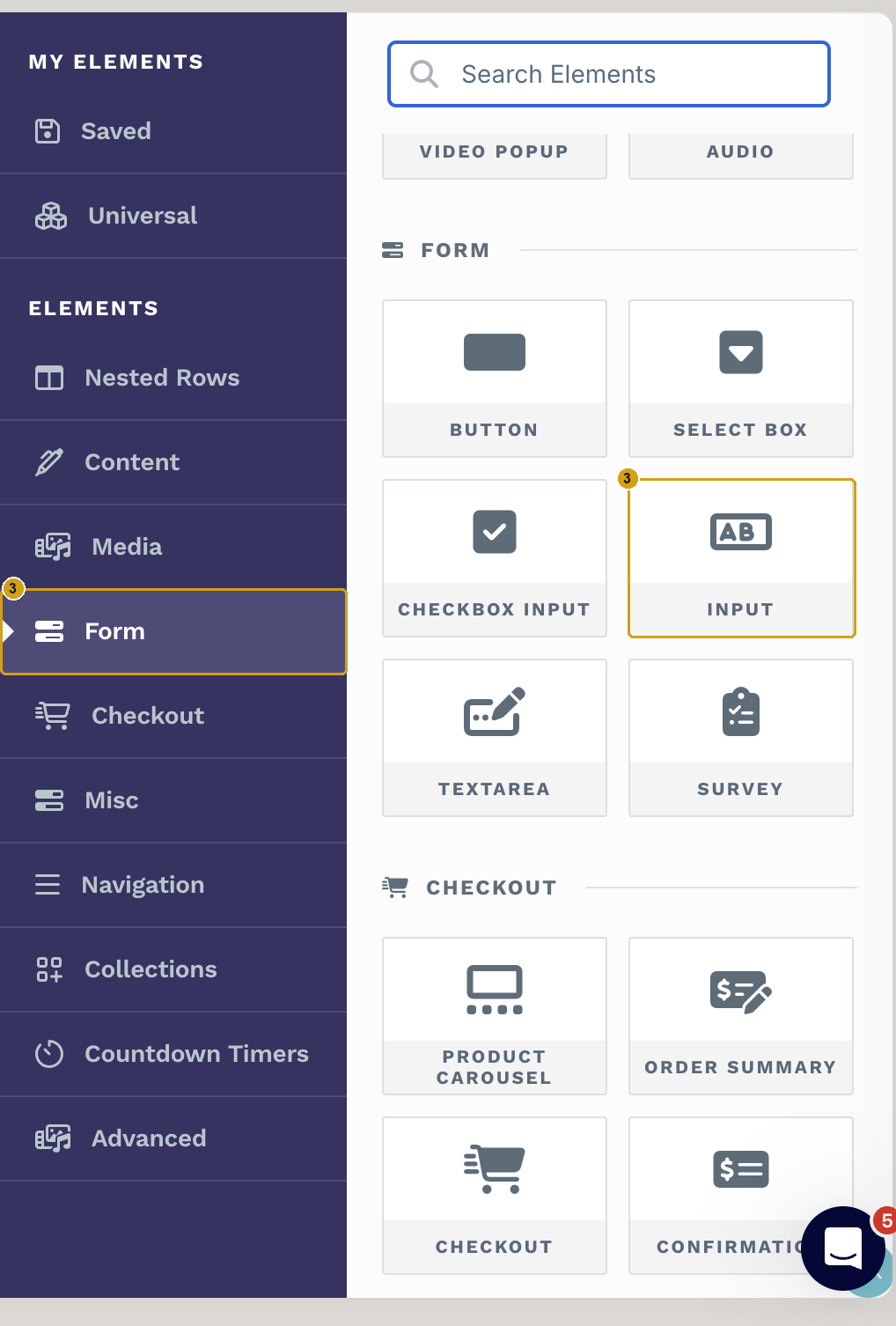
Step 3. Choose Form → Input. In the elements panel, open Form (3) and pick INPUT (3).
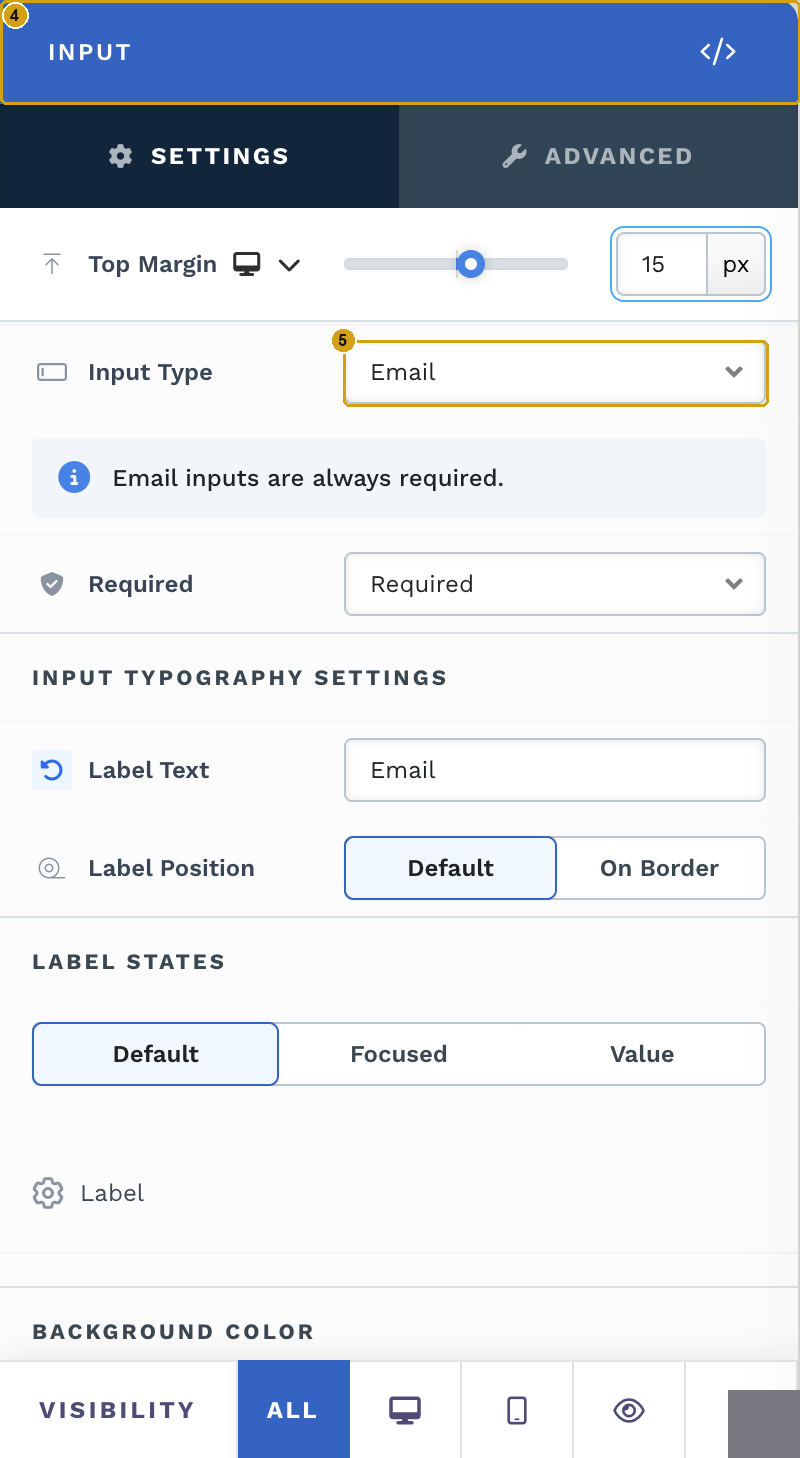
Step 4. Select the new input. Click the input you just added. Its INPUT settings panel opens (4).
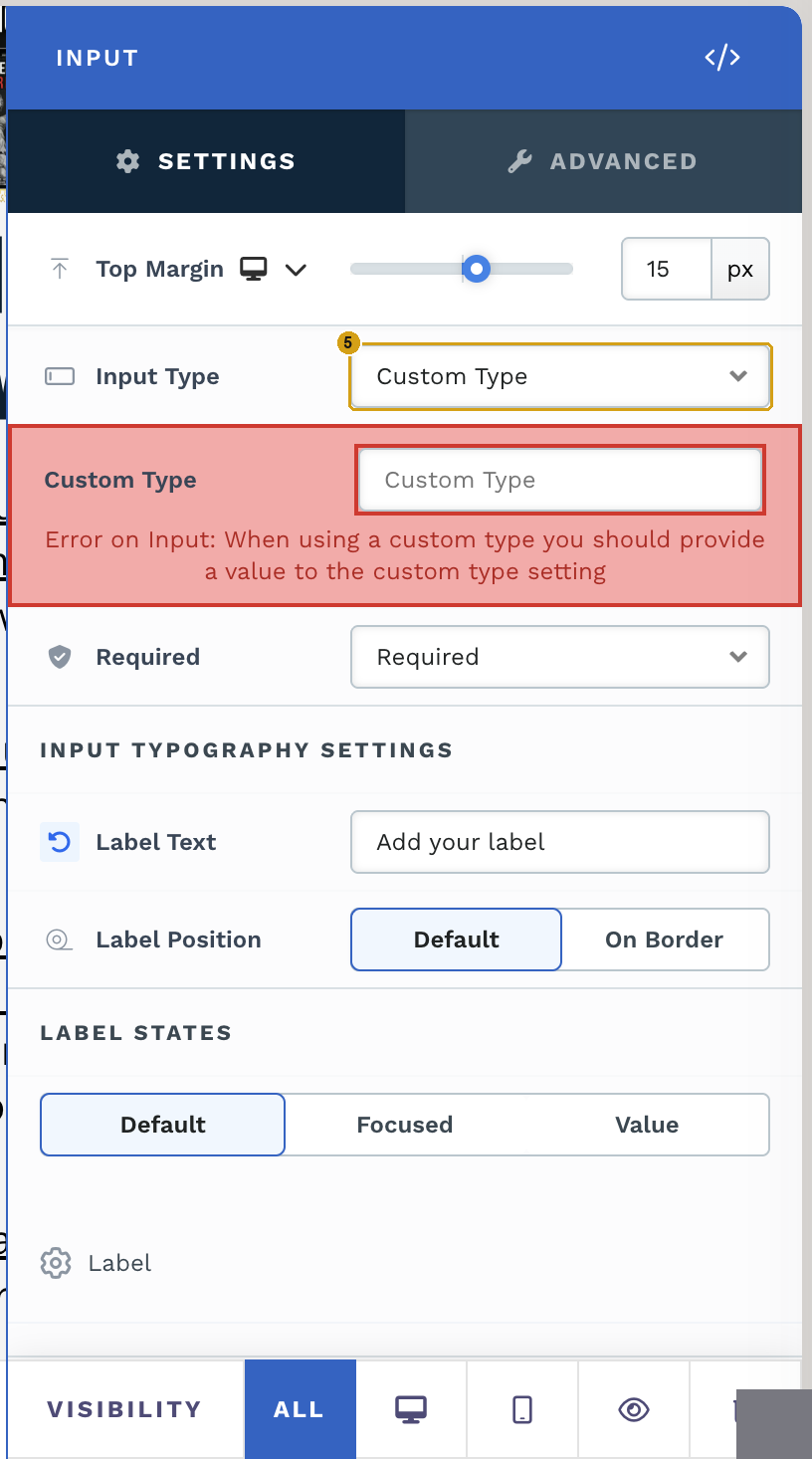
Step 5. Set Input Type to Custom Type (5).
ClickFunnels asks for a value until you fill in the next step; the red error is expected.
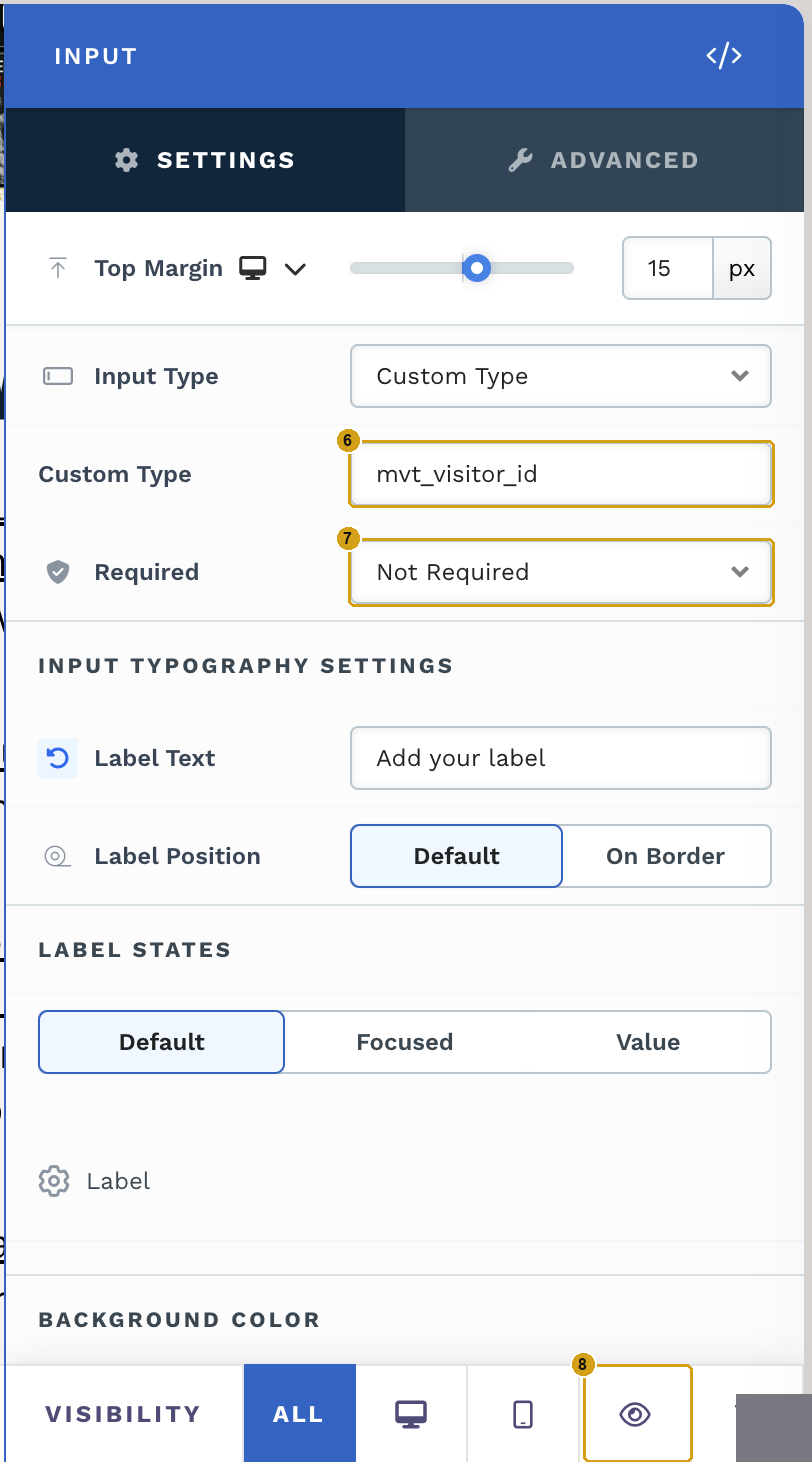
Step 6. Set Custom Type to mvt_visitor_id (6), exactly, in lowercase with underscores.
Step 7. Set Required to Not Required (7). Visitors never see this field, so it must never block the form.
Step 8. Hide it. Under Visibility, click the eye icon (8) so the field is hidden on every device.
Then save the page. Repeat for each funnel step whose form creates a contact.
Use exactly mvt_visitor_id
The snippet looks for an input whose custom type is mvt_visitor_id. Any other spelling, such as
visitor_id or mvt-visitor-id, stays empty and the order is unattributed.
Check it works
- Open the live funnel page (not the editor preview) in a private window, so Splitlab assigns you to a variant like a new visitor.
- Submit the form with a test email.
- In ClickFunnels, open the new contact. Its
mvt_visitor_idattribute has a value. - Complete a test purchase. In Splitlab, the lead's purchase shows Attributed, with the campaign and variation filled in.
If the contact's mvt_visitor_id is empty, check that the Splitlab snippet is installed on that
page (ClickFunnels install) and that consent, if your site requires
it, was accepted before the form was submitted.