

Documentation
GoHighLevel forms
For Splitlab to credit a GoHighLevel contact and its payments to the variant the visitor saw,
the contact has to carry their Splitlab visitor ID. You add a hidden mvt_visitor_id field
to the form once.
This page assumes the mvt_visitor_id contact field already exists. If not, create it first:
GoHighLevel integration, step 2.
The Splitlab snippet fills mvt_visitor_id on every form it finds, so each contact the form
creates carries the visitor's ID. The field only has to exist on the form, hidden.
On a ClickFunnels page, follow the ClickFunnels 2.0 or ClickFunnels Classic field setup instead.
Add the hidden field
- Go to Sites → Forms → Builder and open your form, or click + Add Form to make one.
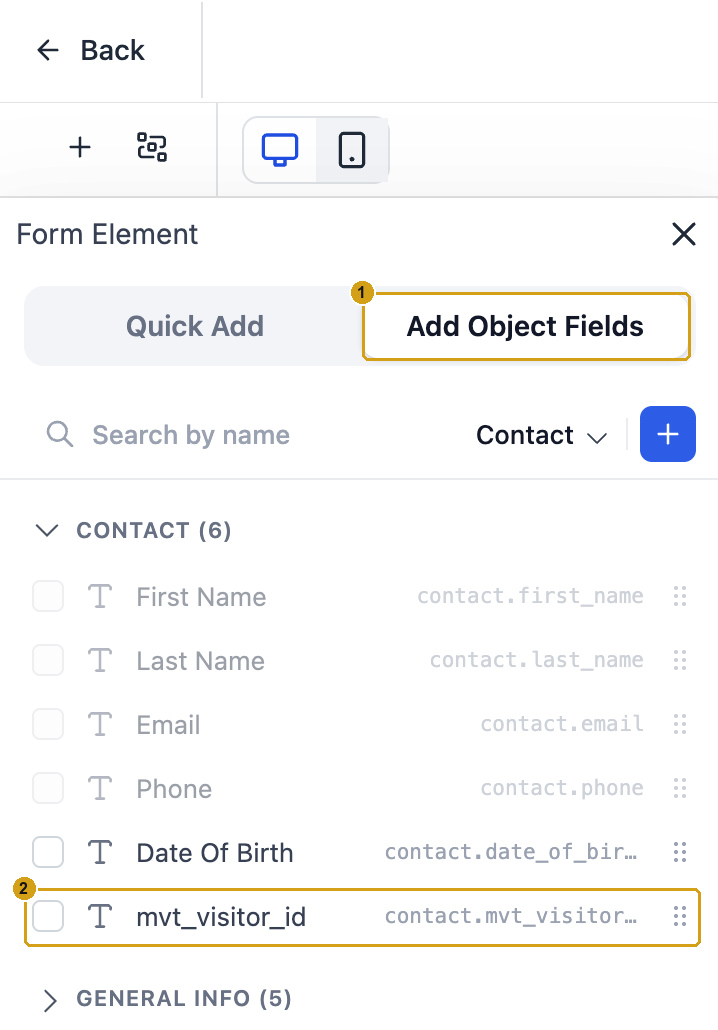
- In the left panel, open the Add Object Fields tab (1).
- Under Contact, tick or drag mvt_visitor_id (2) onto the form.
- Click the new field on the form to open its settings.
- Set Query Key to
mvt_visitor_id(3). - Tick Hidden (4) and leave Hidden value empty.
- Click Save, and wait for GoHighLevel to confirm. The form is not kept until you do.
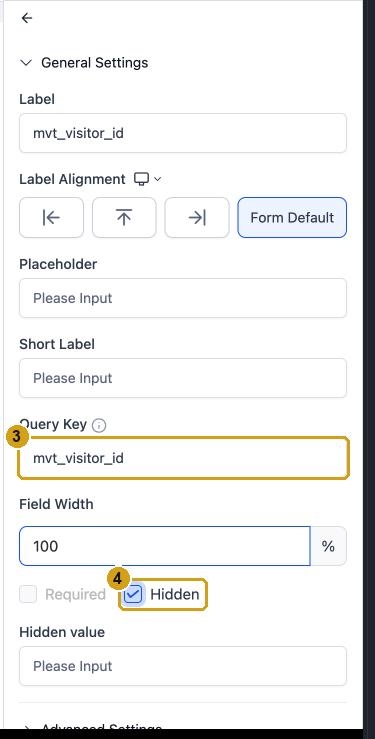
Keep the Query Key exactly mvt_visitor_id
The snippet finds the field by its Query Key. Any other value leaves the field empty, and the contact's payments come in as workspace-level revenue.
Put the form on your funnel page
- Open the funnel step and click Edit to open the page builder.
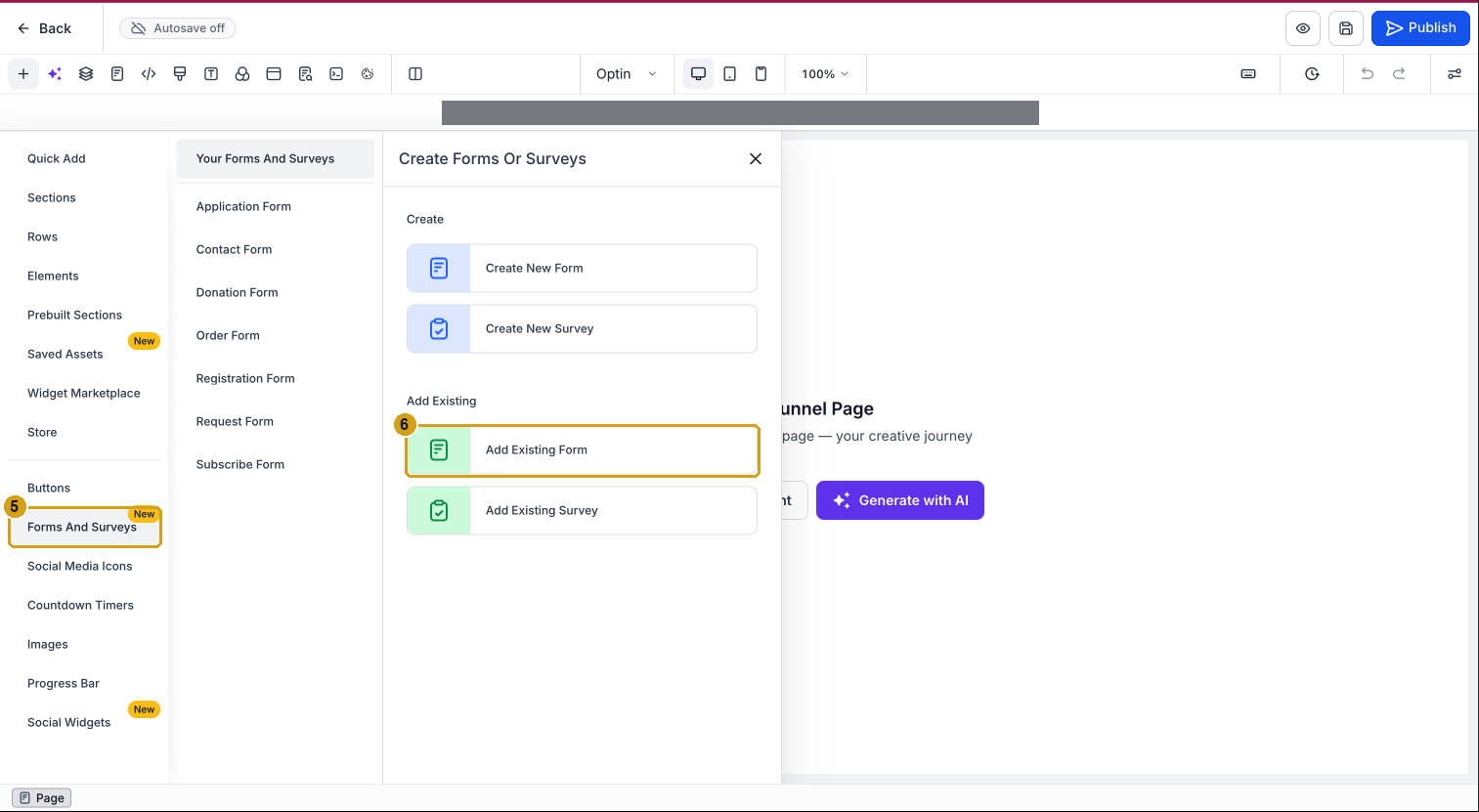
- Click +, choose Forms And Surveys (5), then Add Existing Form (6), and drop it on the page.
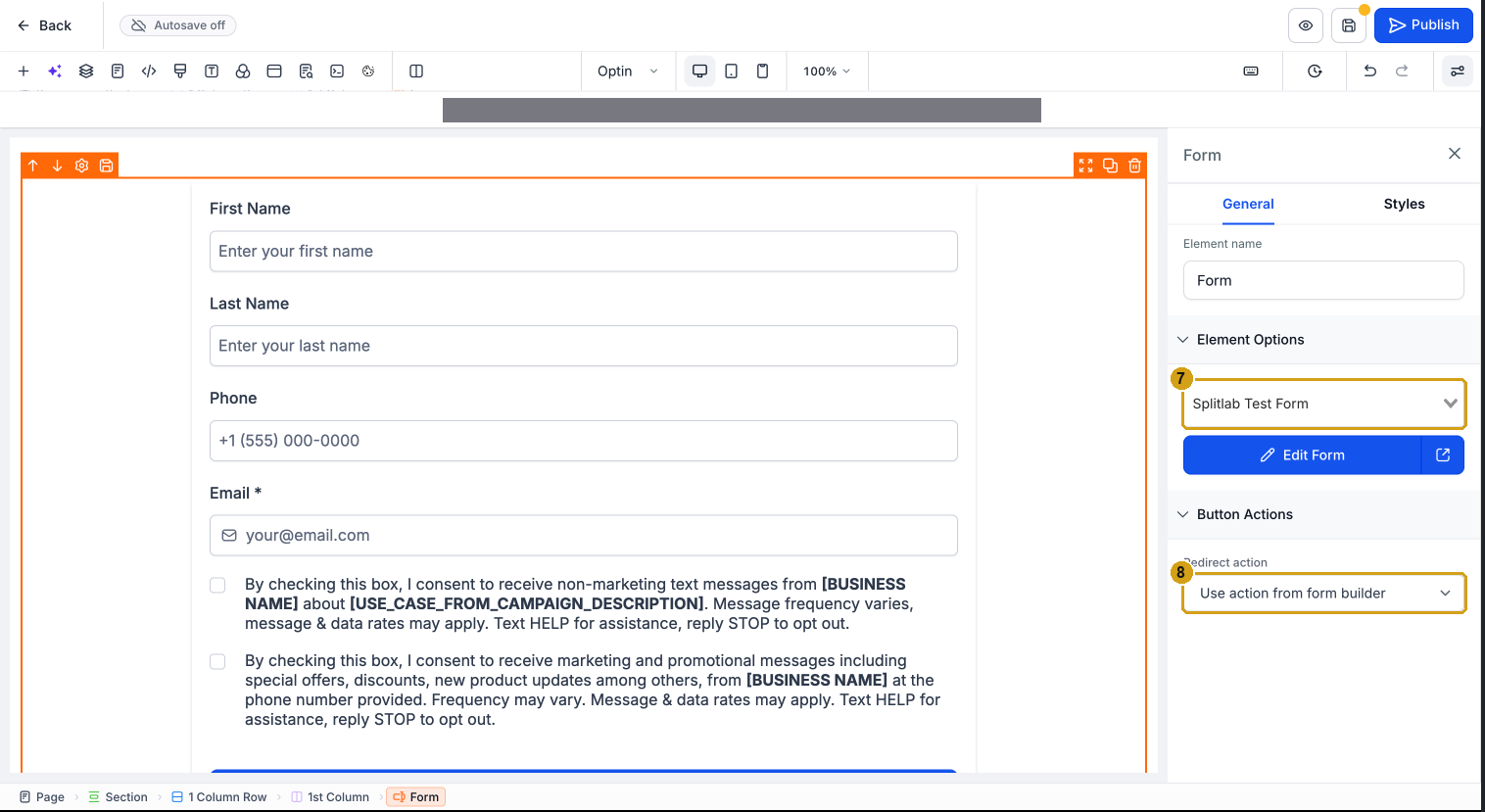
- Click the form on the page and pick your form in Element Options (7). If the list is empty, reload the builder: it only lists forms that were saved before it opened.
- Optional: under Redirect action (8), choose Go to next step to send people to a thank-you step. A Splitlab page-visit goal on that step counts the conversion.
- Click Save, then Publish.
Install the snippet on the funnel
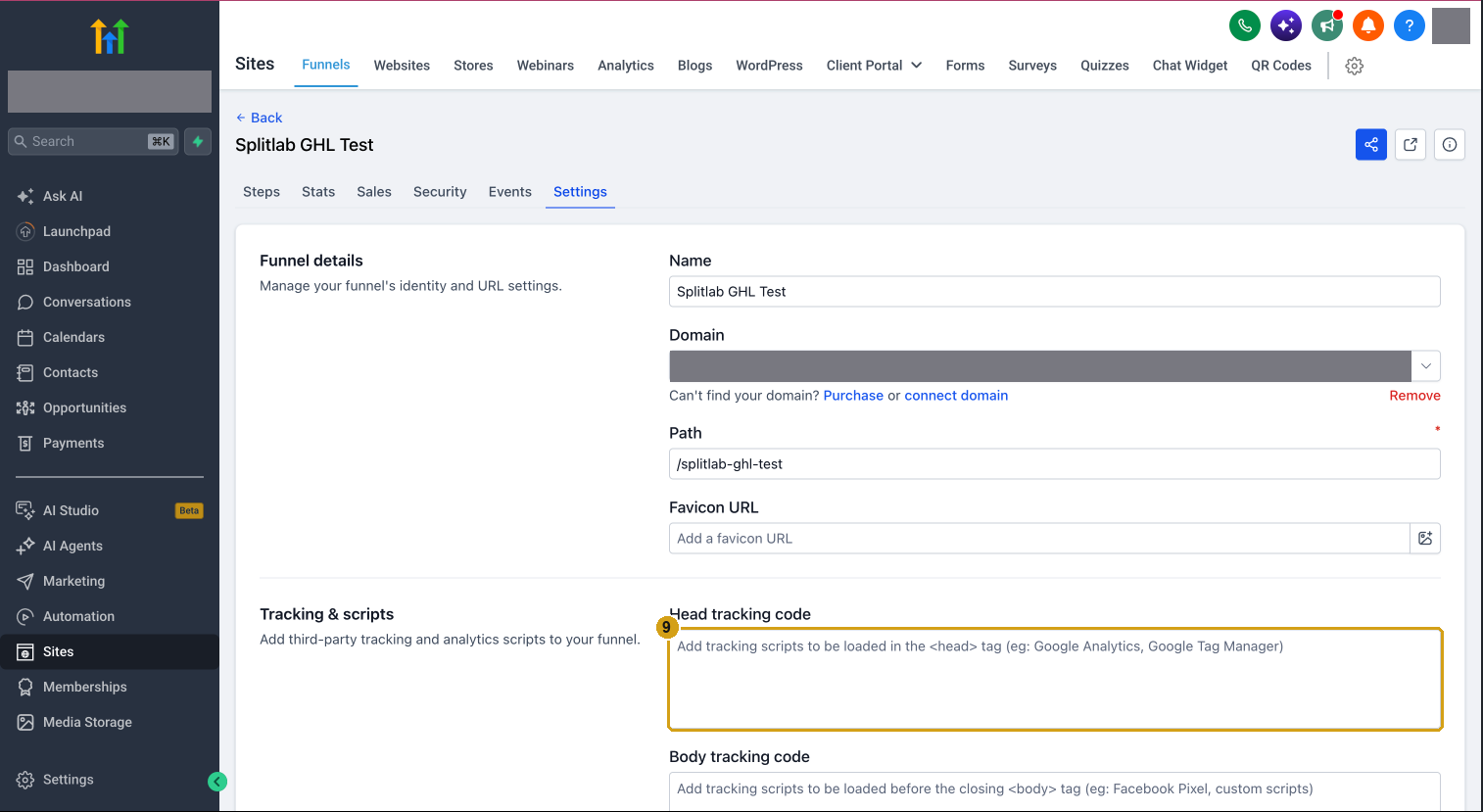
- Open the funnel's Settings tab.
- Paste the Splitlab snippet into Head tracking code (9), then Save. It loads on every step of the funnel, including the thank-you step.
Cookie consent needs a banner
With Enable Cookie Consent on, the snippet fills the field and records conversions only after a visitor accepts your cookie banner. On a page with no banner, turn it off for that website in Splitlab, then copy the snippet again. The setting is part of the pasted code.
Check it works
Submit the form from a private window, then open the new contact in
GoHighLevel: mvt_visitor_id holds an ID starting with visitor-.
If mvt_visitor_id is empty, check the Query Key, that the snippet is in the funnel's Head tracking code, and the cookie-consent setting above.